
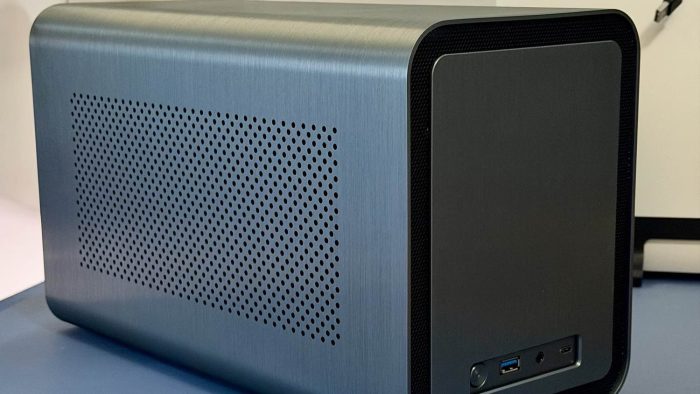
For as long as I can remember, I have wanted to have a NAS. For as long as I remember, I have been trying to do NAS type things, but using inexpensive external USB drives. I no longer have to do that, since I now have a NAS!
What is a NAS?
NAS stands for Network Attached Storage. Typically, a small computer connected to a single, or multiple, drives and it lives on your network. I’ve used single drive versions of this, all the way to a 10 bay version. Mine has 5 bays, meaning it can hold up to 5 drives.
Why?
I’m embarrassed to say that it has been more than 10 years since I’ve had proper backup and storage of my stuff. I have stuff in a personal folder, in documents from 3 different Macs. Plus my Media collection has been a disconnected, unusable mess. This is me fixing that, while also gaining a new Plex server, and hopefully, turn it into my personal cloud server.
My wife will, hopefully, be taking advantage of this to get her data sorted and in 1 place. Her stuff is scattered as bad as mine across 3 services.
I was also overdue for a computer project. I was a computer builder in the ’90/’00s, I was building small business towers, home systems and entire networks. This has been a fun build and will give me a baby thing to be “IT Manager” over.
How is a NAS?
The build list!
Case: JONSBO N1 Mini-ITX NAS Chassis
Power Supply: be quiet! SFX L 600W
Motherboard: Intel N150 NAS Motherboard 6-bay
RAM: 16GB DDR5
M.2 NVMe: KingSpec 256gb
Hard Drive: Western Digital WD Red Pro, 8TB
When building your NAS, don’t be like me and order the cheapest power supply you can find for the case, unless your NAS is living in a server room, with other, equally loud, pieces of equipment. Get the be quiet! I’m not gonna lie, the NAS is quieter than a fan that runs in the same room. Also, unlike me, order SATA cables when you order your drive.
My plan is to have 3 drives in the NAS before the end of summer. As budget allows, I’ll be adding 2 more of those WD drives, which will allow for some redundancy for my data should a drive fail. I would also like to add an additional NVMe, 1TB, for a cache drive.
The Software
This box is running Unraid. It’s paid, it’s solid and particularly nerdy. To be honest, I really should have gone the Synology route to keep the use a little easier. That said, the more I play with Unraid, the more it settles in and makes sense. I’m excited to dig into to take advantage of everything I can do with this little box.
I also know it’s forgiving when dealing with drive sizes. Similiar to the way Drobo worked, Unraid supports drives of varying sizes because it doesn’t do RAID. I could put in a 10tb and a 12tb and it will just work. Once I use the platform further, I’ll write more. For now, it’s running Plex very well and chewing through data transfers over the network at the same time. It’s a little beast!
It’s been a super fun build!