
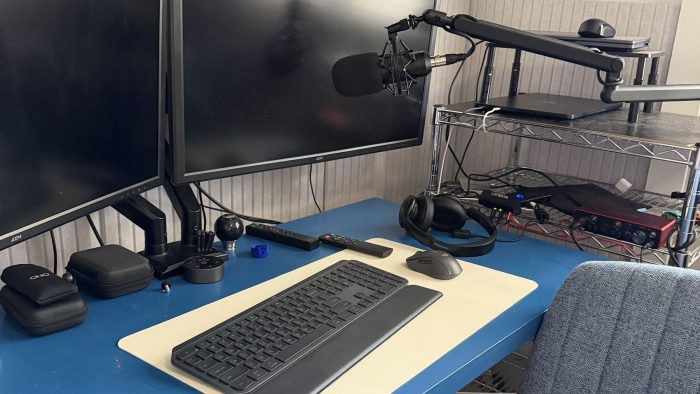
Every now and again I have to go back and read this post by Merlin Mann. It reminds me that, a lot of time, I have a keyboard right here in front of me. It’s a Logi MX Keys S, so it doesn’t make a lot of noise, but it feels nice when I use it.
But, that’s the trick. It’s the trick when I’m stuck. It’s the trick when I’m not. Just make the clicking sound. Type about whatever, just type.
The Sunday Post – My Desk Setup
I opened up Drafts to see if there was anything that I had drafted that could use a bit of polish to give me a blog for the week. Alas, there was only 1, and it was blank.
Blank I can work with.
Today, I’d like to discuss my desk setup. I actually saw a post on Threads that was asking for advice on doing exactly what I am doing already; Sharing a keyboard, monitors, and a USB hub between Windows and a Mac.
Besides the computers, I’m using the following pieces of gear:
USB C Switch, WAVLINK Displaylink Monitor splitter and this handy dandy shelf so I can stack ’em up!
Each computer uses its own mouse. For Keyboard, the Logi MX Keys S can be paired with up to three computers, which makes that part easy. My Soundcore Q30 headphones can also pair to multiple devices, and that’s works well between the computers.
Monitors connect the splitter, the splitter connects to the USB C switch. I also have a 4 port USB hub that I connect to the switch for sharing the Logitech webcam, my Focusrite 2ii2 which drives my microphone, and a USB light.
The Mac does get a little butt hurt when connecting it after using it mobile, it’s nothing a few reboots doesn’t fix. If you have a Mac that supports multiple displays, this isn’t a problem you should have.
Next up will be getting this sorted out so it looks a little nicer.